
“AI coding assistants don’t have a context problem. They have a context efficiency problem.”
AI-powered coding tools — Claude Code, Cursor, GitHub Copilot, and others — have quickly become part of many developers’ daily workflows, helping teams write code faster, explore unfamiliar codebases, and automate repetitive tasks.
But as teams scale their use of these tools, an invisible challenge starts to emerge: token consumption.
Every time an AI assistant answers a question about your codebase, it needs context. That context comes from scanning files, tracing dependencies manually, and piecing together how components interact. The larger the repository, the more expensive that process becomes.
The question is no longer ”Can AI help us write code?” It’s becoming ”Can AI understand our codebases efficiently?”
What dependency graphs solve
Dependency graphs map how different parts of a system connect—which modules depend on a service, what calls a function, and what breaks if an interface changes. Think of them as blueprints for your codebase. Without blueprints, you inspect every room. With blueprints, you go directly to what matters. AI assistants benefit from exactly the same approach.
“The goal isn’t to provide more context. It’s to provide better context.”
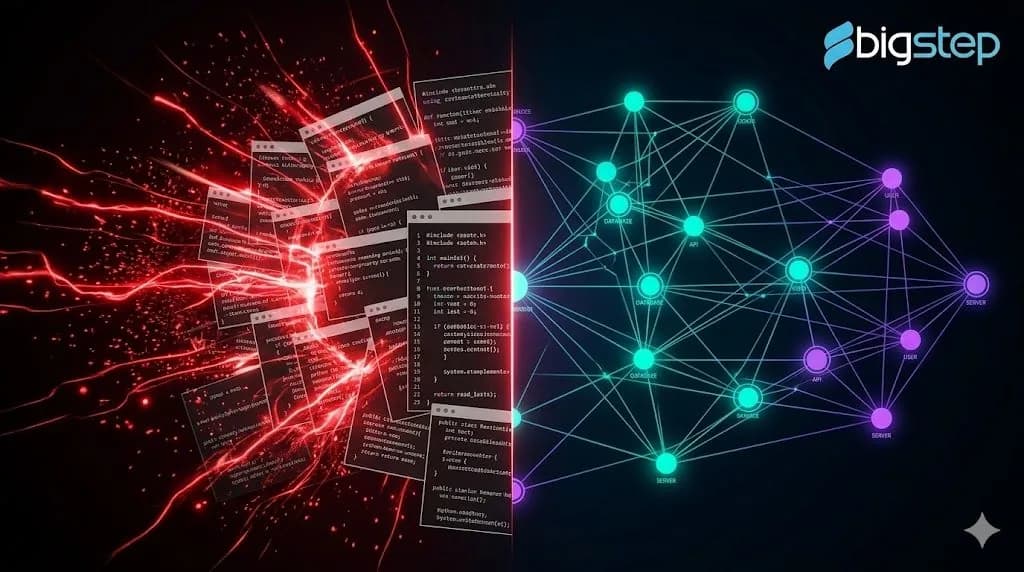
Traditional Search vs. Dependency-Aware Search
Without dependency awareness, an AI assistant opens 30+ files, follows every reference, and accumulates tokens fast. With a dependency graph, it queries the map first, identifies the 3–5 relevant files, and generates a focused response.
In our testing, dependency-aware search reduced token consumption by up to 89% with faster discovery and more accurate answers.
BigStep’s approach: CodeGraph + Claude Code
At BigStep, we’ve integrated CodeGraph—an open-source dependency analysis tool — with Claude Code via MCP (Model Context Protocol
CodeGraph analyses a repository and builds a graph of functions, classes, interfaces, imports, and inheritance structures. Claude Code then queries this graph directly, rather than re-exploring the repository from scratch on every task.
Other tools worth exploring in this space: Madge, Nx Graph, and Sourcegraph.
Why it matters in practice
Fewer tokens consumed —irrelevant files stay closed Faster context discovery — especially in unfamiliar parts of the codebase Safer refactoring — downstream impact is visible before you ship More focused AI responses — based only on what actually matters
Limitations to keep in mind
Dependency graphs show how code is connected — not why decisions were made. They don’t capture business requirements, runtime behavior, team conventions, or domain knowledge. Human context still comes from the team.
The takeaway
If your team is already experimenting with AI-assisted development, dependency-aware tooling is the next practical step. Ask yourself after any AI response:
How many files did it need to open to get there?
If the answer surprises you, it’s worth exploring.
Ready to Move From Prototype to Production?
If your organization is navigating the demo-to-production gap, we would be glad to talk. BigStep’s AI engineering team partners with enterprises and AI-native teams to design, build, and operate production-grade agentic systems on LangChain, LangGraph, and the broader stack covered in this series.